
How to Define ICP Groups and Buying Committee Personas in Knock
Your ICP (Ideal Customer Profile) describes the companies that get the most value from your product, and bring the most revenue back. Most B2B companies don't have just one. They sell to several types of companies, each with its own size, market, and buying motion. These ICP groups are your revenue engine.
B2B deals are also rarely closed by one person. Behind every customer is a buying committee - the champion who pushes for you, the decision maker who signs, and the users who will work with your product.
What is the ICP page?
The ICP page is where you define both in Knock: the companies you sell to, the companies you don't, and the people who matter in your deals.
You don't start from a blank page. Knock analyzes your historical customers and CRM outcomes together with a wide range of company signals - like team size, product type, business model, and who they sell to - and suggests ICP groups based on the companies you already win. Knock also analyzes the people behind your past deals and suggests your buying committee personas. Review them, adjust them, or build your own.
Why define your ICP in Knock?
Every decision in Knock starts with who the buyer is. Once your ICP groups are defined, Knock uses the same definition everywhere, so your whole team works from one view of a good fit.
- Meet the companies you want - use your ICP groups in routing to decide who can book a meeting and which rep they meet. Non ICP leads stay away from your reps' calendars.
- See which groups drive revenue - for every group, see how many companies match and how many became leads, opportunities, and customers.
- Know where your ICP comes from - see which channels, campaigns, and touchpoints bring your ICP groups, and which bring the wrong audience.
- Reach the right people - buying committee personas help Knock surface the people who matter, like a decision maker at a target account engaging with your LinkedIn content.
ICP groups
An ICP group is a named set of companies with shared traits - for example "EMEA Product-led SaaS, 51-200". Create as many as you need, one per type of customer you win.
- ICP - companies you want more of.
- Non ICP - companies you don't want reps spending time on, like students, competitors, or companies that are too small.
For each group you see Target (matching companies in the market), Leads, Opportunities, and Customers - so you can tell which groups bring real revenue.
Create a group
You can create a group in two ways.
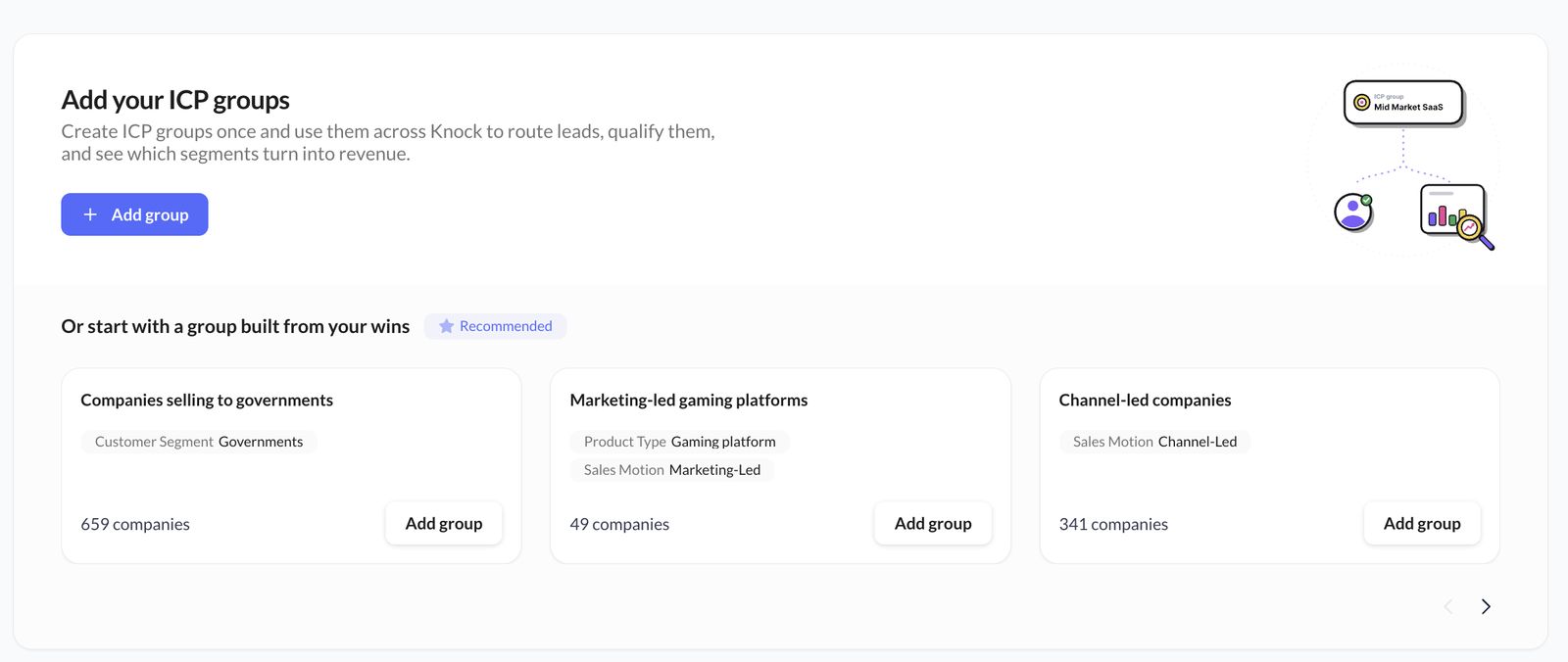
Start from your wins (recommended). Under Or start with a group built from your wins, Knock shows groups based on your closed-won customers, with their filters and the number of matching companies. Click Add group on the one you want to use.
Build from scratch.
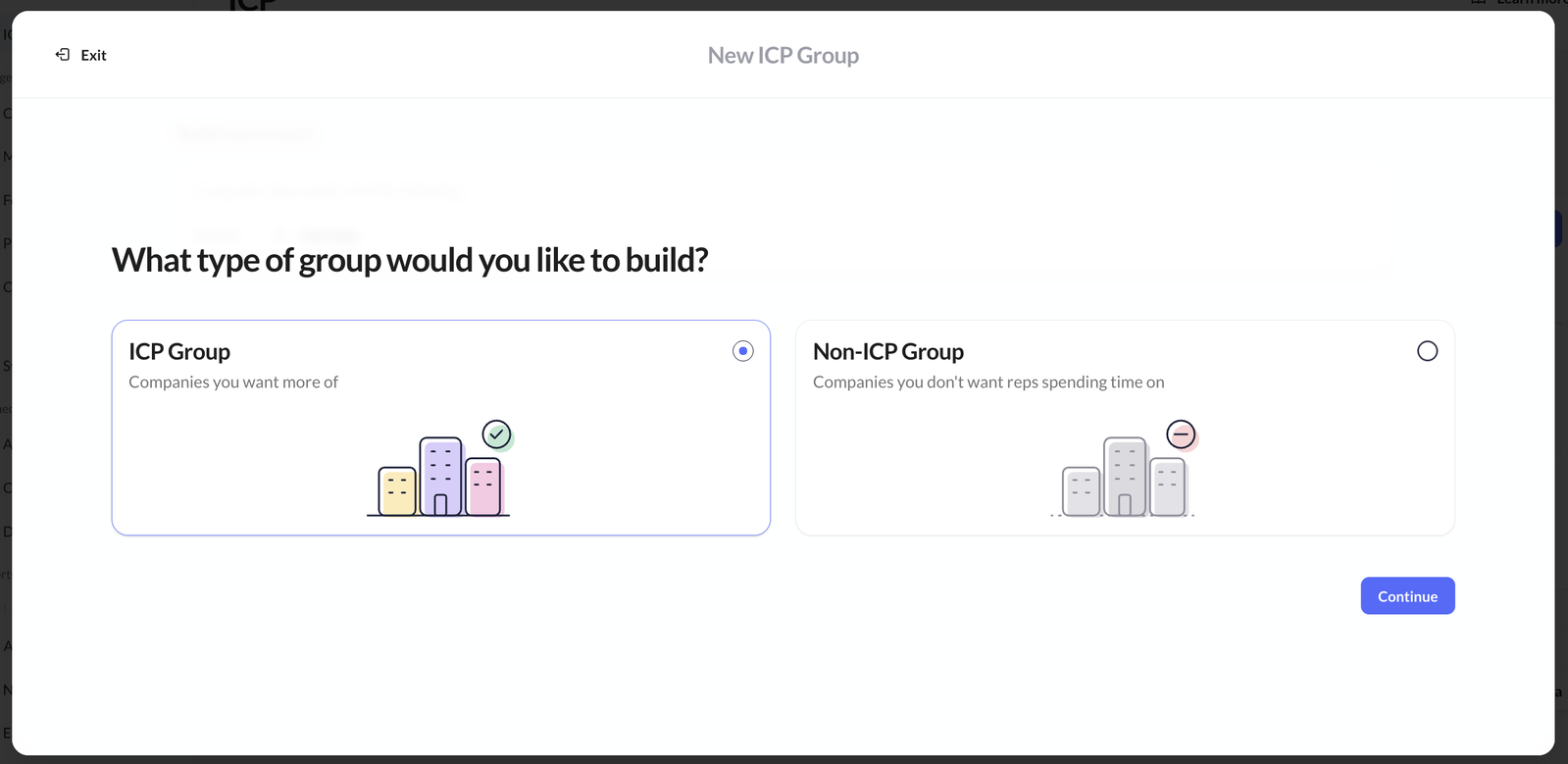
Step 1. Click Add group.
Step 2. Choose ICP Group or Non-ICP Group, then click Continue.
Step 3. Name the group and add company filters. A company must match all filters to be in the group. As you add filters, Knock shows how many companies match.
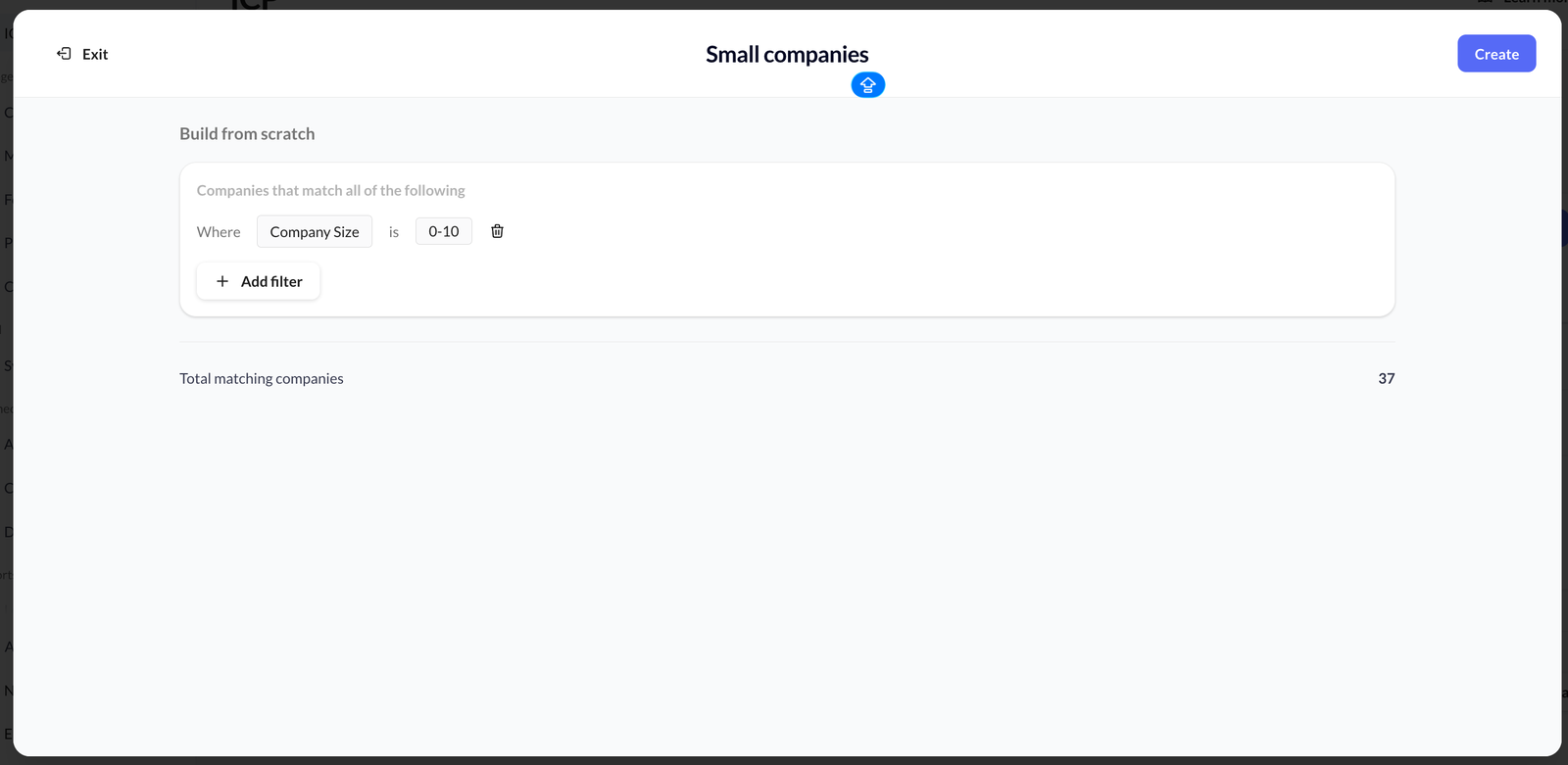
Step 4. Click Create. The group is added to your table with its Target, Leads, Opportunities, and Customers.
Use ICP groups in routing
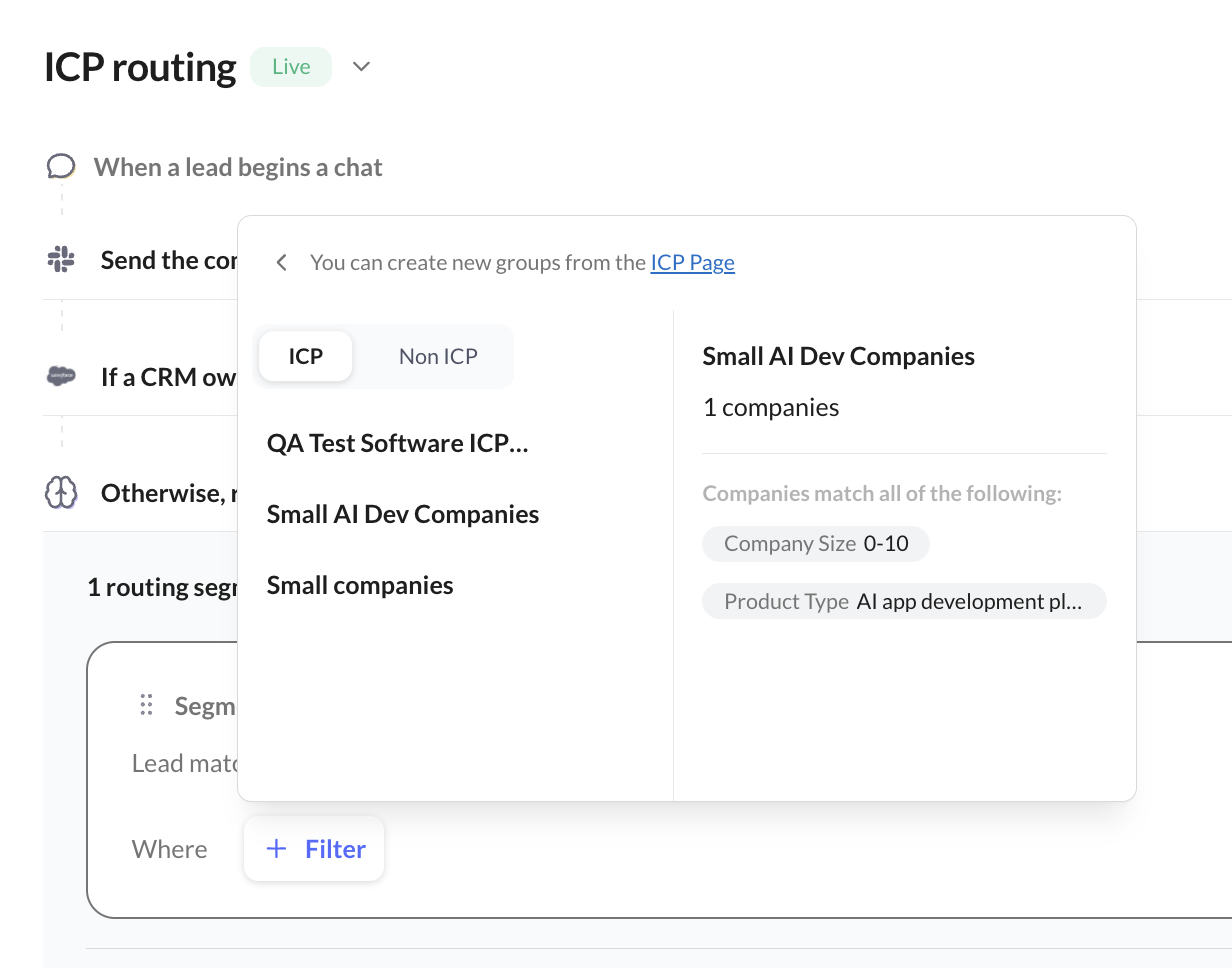
Once your groups are saved, they show up as quick filters when you build a routing segment in Meeting Routing, Chat Routing, and Workflow Routing. Create a new segment, pick a group and Knock fills in its filters for you - no need to rebuild your ICP in every rule.
Qualify your ICP. Create a qualified segment from an ICP group and assign the reps who own those companies. Each ICP group can have its own segment and its own reps.
Disqualify Non ICP leads. Create a disqualified segment from a Non ICP group. Leads that match it are not routed to your reps, so your team's time stays with the companies you want to sell to.
When you add a group to a routing segment, Knock saves the group's filters as part of that segment. If you later edit or delete the group, your existing routing rules don't change. Only new rules use the updated group.
Add a group to a routing segment
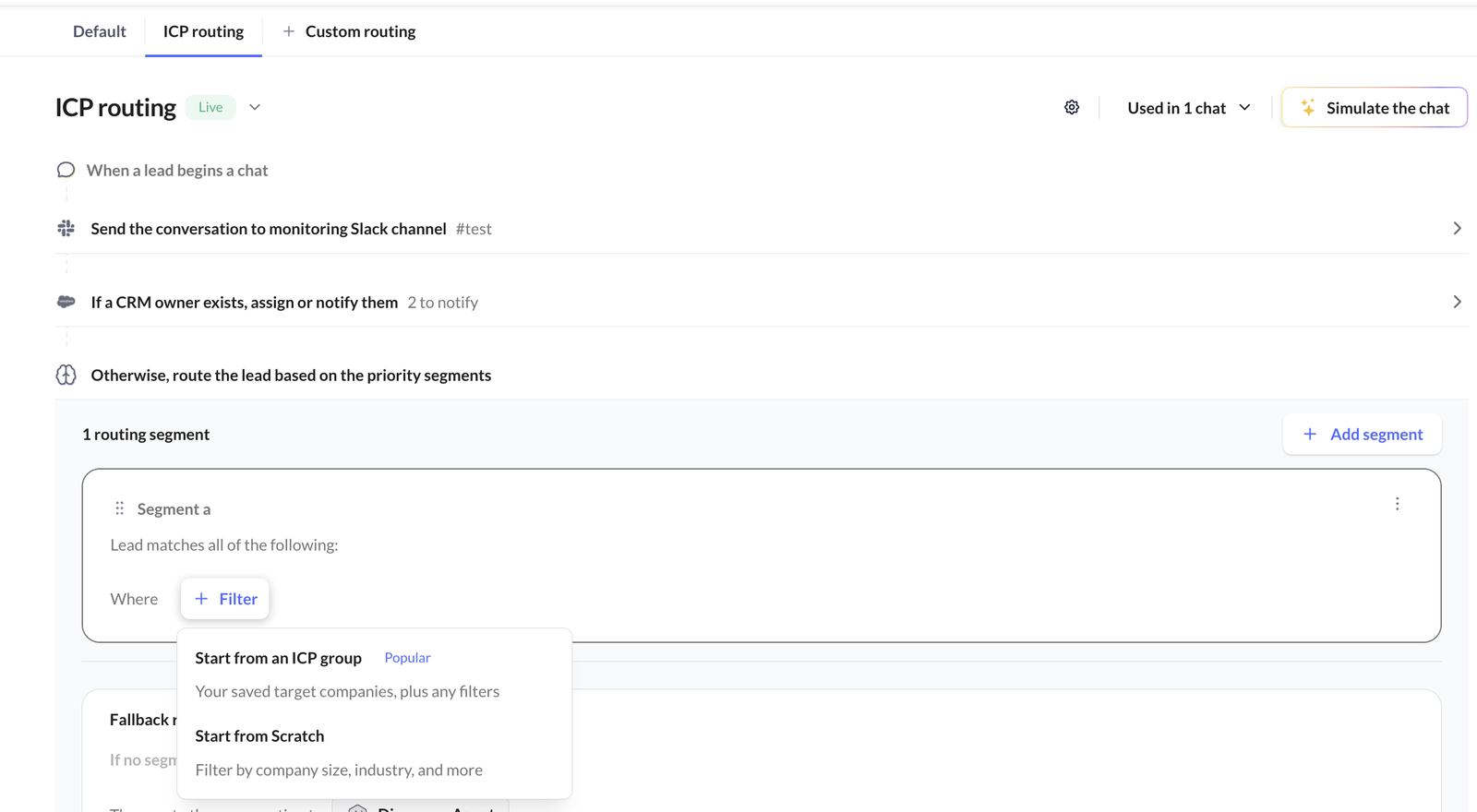
Step 1. Open your routing, go to a segment, and click + Filter. Choose Start from an ICP group. To build the segment without a group, choose Start from Scratch.
Step 2. Choose ICP or Non ICP, then select a group. Before you select it, you can see the group's filters and how many companies match. Knock adds the group's filters to the segment, and you can add more filters on top.
Don't see the group you need? Create it on the ICP page first - it will show up here right away.
Note for Meeting Routing: Not all company filters are available in Meeting Routing. ICP groups that use one of these filters can't be selected there. You can still use them in Chat Routing and Workflow Routing.
Buying committee personas
The person who reaches out is rarely the only one who decides. Your buying committee personas tell Knock who else matters in a deal, so Knock can find them for you.
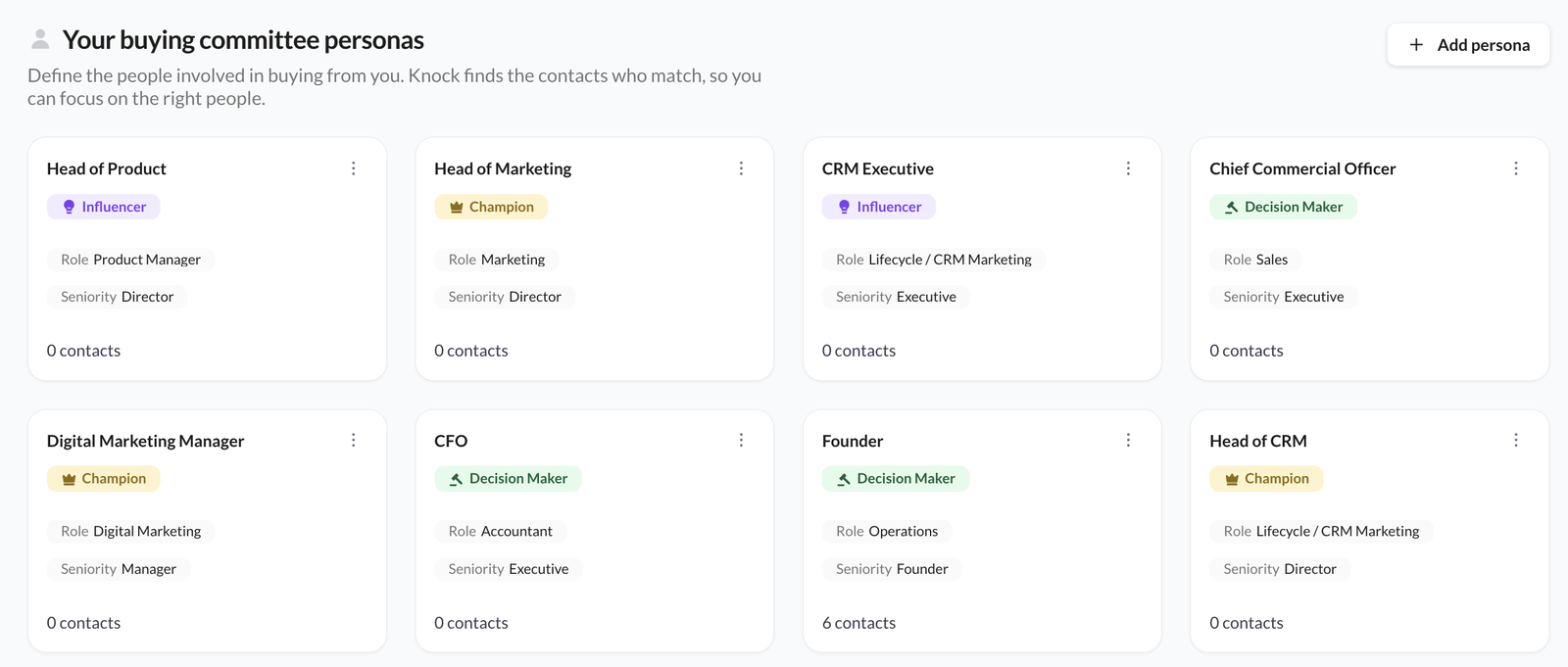
A persona is one type of person involved in buying from you - for example "VP Product Marketing". Each persona has a name, a label, role and seniority filters, and a count of matching contacts.
Each persona gets one label:
- Champion - pushes for your product inside the company.
- Decision Maker - has the final say and the budget.
- Influencer - an expert whose opinion shapes the decision.
- User - will use your product day to day.
- Blocker - can slow down or stop the deal, like legal, security, or procurement.
Why your personas matter
Find the decision makers behind every lead. Whenever someone engages with Knock, Knock identifies their company and finds the people at that company who match your personas. Instead of one contact, your reps see who else is involved - the decision maker who signs, the champion who pushes for you, and the users who will work with your product. The more complete your personas, the more complete the picture your reps get. Make sure every role that takes part in your deals is covered.
See which decision makers engage with you on LinkedIn. Knock tracks who engages with your company's LinkedIn posts and surfaces only the people who match your personas. Instead of a long list of likes, you see the champions and decision makers at your target accounts who are paying attention - and who are worth reaching out to now.
In both cases, Knock relies on your personas to decide who matters. If a role is missing, Knock won't look for it.
Set up your personas
You don't start from scratch. Knock analyzes the people behind your past deals in your CRM and generates your buying committee personas for you.
From there, you can customize them to match how you sell:
- Edit a persona's name and label.
- Change its role and seniority filters.
- Delete personas that don't apply to you.
- Add your own personas.
Add a persona
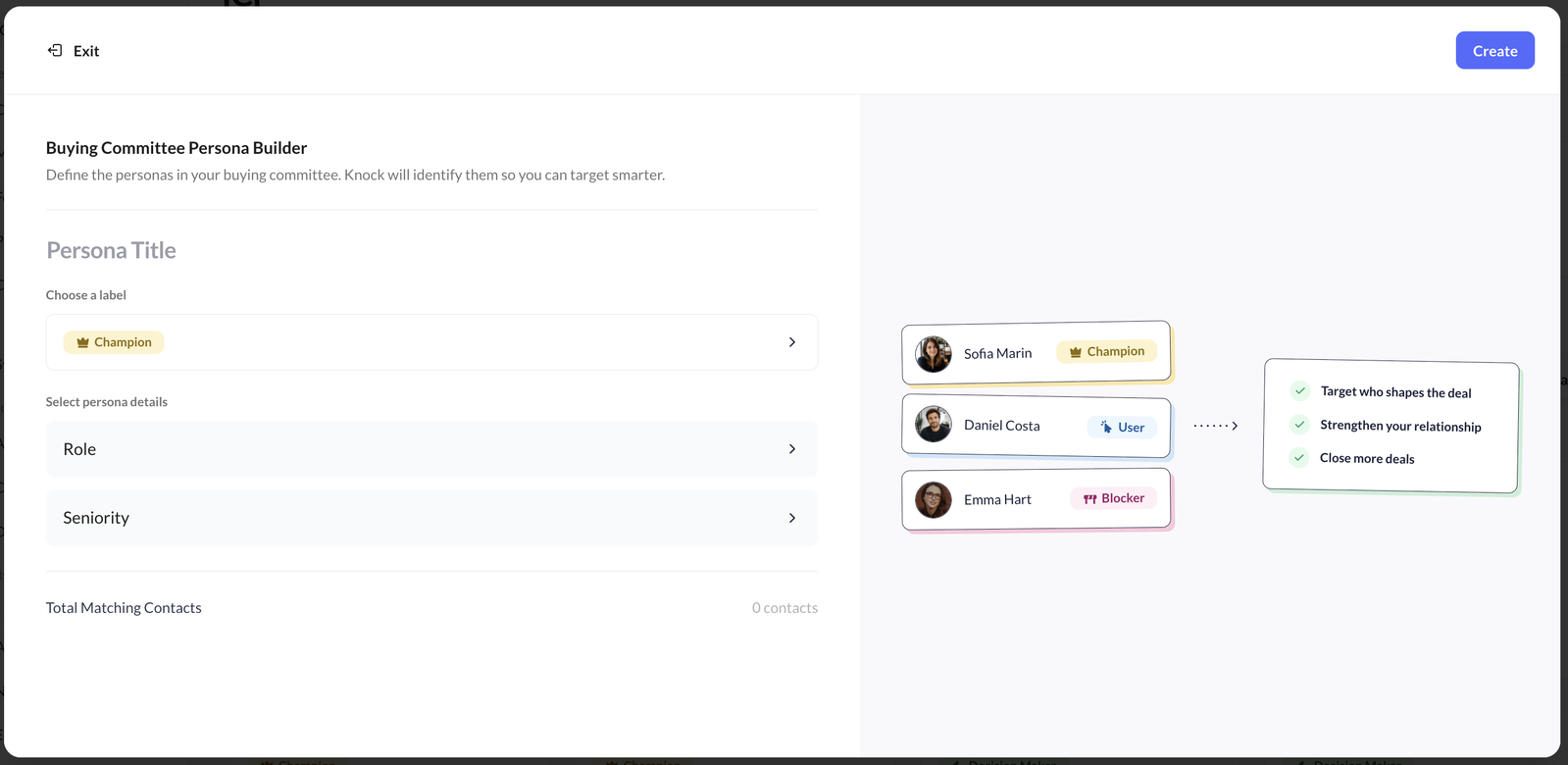
- Click Add persona.
- Enter a persona title - for example "VP Product Marketing".
- Choose a label - Champion, Decision Maker, Influencer, User, or Blocker.
- Under Select persona details, choose the Role and Seniority that define this persona. Knock shows how many of your contacts match.
- Click Create.
Tips
- Start from your wins - it's the fastest way to a definition that reflects reality.
- Don't skip Non ICP - it protects your reps' time.
- Check the numbers - lots of leads but few customers means the group may not be a real ICP.
- Cover every decision maker - if a role takes part in your deals, add it as a persona.
- Revisit every quarter as your market changes.